PS3 webMAN MOD v 1.43.36 - NEW support to DL & Auto Install PKGs, + additional changes

Following deank's latest release of multiMAN Stealth the PS3 community has another popular project that seen an update as developer @aldostools is back with another update to webMAN MOD with the release of v1.43.36. This release contains an extensive list of changes ranging from various bug fixes and new functionality, there was alot of new features in this version of the plugin. Developer Aldo Vargas (aka aldostools) has added support for download & auto Installing of pkgs with a variety of options that surrounds this functionality Full list of changes can be seen in the changelog provided:

webMAN-MOD_1_43_36.jpg


    • Added support for download & auto install pkgs. Syntax: /install.pkg?url=<url-of-pkg>
    • Install PKG combo now auto-install all pkgs in hdd0/packages
    • /install.ps3 now deletes the pkg after installation
    • Use /install_ps3 to keep the pkg after installation
    • Added conditional install of pkg: /install.ps3<pkg_path>?
    • Added support for download .xm! as .xml
    • Pkgs are now downloaded to a temporary folder then moved
    • Limited delete pkg after install to hdd0 only
    • Added support to install local theme files (*.p3t)
    • Added online covers to lite edition
    • Added scan in ISO folder for covers named as <title_id>.JPG
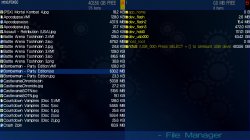
    • Added list of last games to root of file manager
    • Icon sizer value now is retained after close the browser
    • Changed algorithm for covers scanning to: ISO folder > MM Covers > ICON0
      (instead of MM > ISO > ICON0)
    • Added support for sorting directories by date/size/name
    • Added support for wildcards in ftp directory listing
    • Fixed ftp navigation using the browsers
    • Changed PASV mode in ps3mapi to work in the same way as the ftp server
    • Added mount by name: /mount.ps3?<name>
    • Added support for filter file listing using: /path?<name>
    • Added /restart.ps3?min to reboot & show min fw version
    • Added swap buttons commands (the system is rebooted):
      /pad.ps3?cross=enter, /pad.ps3?circle=enter, /pad.ps3?cross=swap
    • Added ability to set default restart mode. e.g. /restart.ps3?quick$
    • Added link from /TROPDIR/NPWR* to trophy dir of current user
    • Added link from /LICDIR to home to savedata dir of current user
    • Removed selection of user account from /setup.ps3
    • /copy.ps3 now uses the home folder of the current user
    • Changed behavior of /copy.ps3 (for faster copy)
    • Now existing files with the same file size are not overwritten
    • /copy_ps3 overwrite the existing files (formerly /copy.ps3)
    • /copy.ps3 from hdd0 now copies to the first usb drive * previously the default usb drive was usb000
    • Added 'Copy & overwrite' option to fm.js (popup menu)
    • Removed support for droidMAN in lite edition
    • Removed polling of wm_request file (due performance impact)
      • Combos still use wm_request file, but it's processed directly
    • Removed buggy code added recently for psx audio processing
    • Added offline mode that disable network when games start
    • Added exception list /dev_hdd0/tmp/wm_online_ids.txt for auto-disable network
    • Now the fan speed is increased critically only if the temperature warning is enabled in /setup.ps3 and the temperature is > 85°C
    • Updated webMAN_IT.xml (thanks to smikk)
    • PARAM.SFO multi5 of updater & prepNTFS (thanks to smikk)
    • Re-added standalone plugin video_rec.sprx
    • Added disc icon with link to /bdvd to the bottom of all the pages
    • Changed link in 'size column' of /app_home to home of user in File Manager
    • Added keyboard shortcuts to /setup.ps3
    • Added combo l2_r2
    • Several code optimizations and bug fixes.


  • Plugin Installer
    Optional webMAN MOD Add-ons
    Source Code

    Official webMAN MOD website (offers useful links/features for webMAN MOD):


Download: webMAN_MOD_1.43.36_Updater.pkg

 
Last edited by a moderator:
1.43.35 or 1.43.36 when active ICON0. PNG, automatically disable tag multiMAN covers and that didn't happen in the previous version for me.
When you use ICON0.PNG, by definition you are not using any covers so it should be disabled.
However your PSX games will still be displayed with covers (not icons) even if you choose to display ICON0.PNG & multiman covers are disabled. prepNTFS caches the covers in wmtmp then wMM uses them.

I can only get the desired result in the current summer like this:
delete everything in the folder wmtmp, NTFS/PSXISO change extension jpg or png for PNG.
SETUP enable MM WBMAN COVERS.
Run prepNTFS 1.15. Have to put PNG, because if it doesn't work, I tested several times and I could only solve so I don't know if it's the right thing to do. ...

@aldostools
Could there be a case where only the .PNG extension in capital letters is recognised with these settings?
From browsing the source, it does not look like it but I could have missed something.
 
Last edited:
It will happen that the images.
PSX to NTFS does not show covers.
ps3 ok
Can you give us an example of a ntfs based PSX game cover file name in the /dev_hdd0/tmp/wmtmp folder before you rename it?
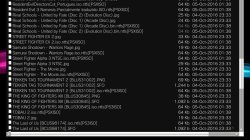
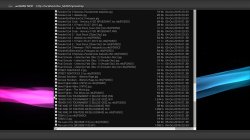
Or simply use the webMAN-MOD file browser to open the wmtmp & take a screenshot just after running prepNTFS?
 
Can you give us an example of a ntfs based PSX game cover file name in the /dev_hdd0/tmp/wmtmp folder before you rename it?
Or simply use the webMAN-MOD file browser to open the wmtmp & take a screenshot just after running prepNTFS?
please wait
 
Could there be a case where only the .PNG extension in capital letters is recognised with these settings?
From browsing the source, it does not look like it but I could have missed something.

If the cover files are named after the file name of the ISO or the JB folder, the extensions can be .jpg or .png (all lower case) or all upper case (.JPG or .PNG).

If the cover files are title ids, then the file name should be all in upper case (including the extensions .JPG or .PNG). Example: BLES12345.JPG or BLES12345.PNG

BLES12345.jpg or BLES12345.Jpg or BLES12345.png are not supported.
 
If the cover files are named after the file name of the ISO or the JB folder, the extensions can be .jpg or .png (all lower case or all upper case).

If the cover files are title ids, then the file name should be all in upper case (including the extensions .JPG or .PNG). Example: BLES12345.JPG or BLES12345.PNG

BLES12345.jpg or BLES12345.Jpg or BLES12345.png are not supported.
Good. [emoji6]
Now let's wait for the screenshot to see if Drag's cover files use this naming pattern...
 
Good. [emoji6]
Now let's wait for the screenshot to see if Drag's cover files use this naming pattern...
If that's what you asked
 

Attachments

  • IRISMAN STEALTH v3.50.10 - CFW 4.80.jpg
    IRISMAN STEALTH v3.50.10 - CFW 4.80.jpg
    720.3 KB · Views: 386
  • screenshot_2016_10_04_23_51_48.jpg
    screenshot_2016_10_04_23_51_48.jpg
    658.5 KB · Views: 266
  • screenshot_2016_10_04_23_52_19.jpg
    screenshot_2016_10_04_23_52_19.jpg
    838.7 KB · Views: 296
@aldostools
How does this make sense?
prepNTFS has done its job, these covers can be used despite the extension in small letters.
Why would wMM have problems displaying the PSX covers with multiman covers enabled? And it works when he changes the extension to .PNG...
 
Last edited:
@aldostools
How does this make sense?
prepNTFS has done its job, these covers can be used despite the extension in small letters.
Why would wMM have problems displaying the PSX covers with multiman covers enabled? And it works when he changes the extension to .PNG...

Ok I found a condition where only .PNG was used. I did a change, but I haven't tested it myself. You can test this build, if it's ok I'll upload the commit tomorrow. If it's not ok, then I'll do more testing tomorrow (due it's late here)
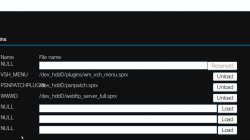
http://aldostools.org/temp/webftp_server_full.sprx
 

Attachments

  • screenshot_2016_10_05_00_56_07.jpg
    screenshot_2016_10_05_00_56_07.jpg
    184.1 KB · Views: 282
I just did a fresh CFW (Rebug 4.80.1) on a new PS3. Installed webMAN_MOD_1.43.36_Updater_20161002.pkg full afterwards (That and Movian is the only thing installed). I can not FTP files to the PS3.

I can create/delete folders though. Tried a lot of different FTP settings, using FlashFXP but it just hangs on MLST for every file.

So I downgraded WebMan MOD to webMAN_MOD_1.43.33_Updater.pkg and it works fine again...

Weird.

Code:
[R] 257 "/"
[R] CWD /dev_hdd0/PS3ISO/
[R] 250 OK
[R] PWD
[R] 257 "/dev_hdd0/PS3ISO/"
[R] PASV
[R] 227 Entering Passive Mode (192,168,101,252,234,153)
[R] Opening data connection IP: 192.168.101.252 PORT: 60057
[R] MLSD
[R] 150 OK
[R] 226 [/dev_hdd0] [ 99145 MB free CPU: 53 °C | RSX: 59 °C]
[R] List Complete: 173 bytes in 0,08 seconds (0,2 KB/s)
[R] TYPE I
[R] 200 TYPE OK
[R] MLST PS3_DISC.SFB
[R] Connection Lost: 192.168.101.252 (Duration: 1 minute 0 seconds / Idle: 1 minute 0 seconds)
Transferred 0 Files (0 bytes) in 3 minutes 5 seconds (0,0 KB/s)

Edit: I also tested webMAN_MOD_1.43.35_Updater.pkg and it also hangs on MLST on FTP transfers...

Edit2: I continued in the webman mod thread.
http://www.psx-place.com/threads/webman-mod-general-information-thread.9643/page-56
 
Last edited:
I just did a fresh CFW (Rebug 4.80.1) on a new PS3. Installed webMAN_MOD_1.43.36_Updater_20161002.pkg full afterwards (That and Movian is the only thing installed). I can not FTP files to the PS3.

I can create/delete folders though. Tried a lot of different FTP settings, using FlashFXP but it just hangs on MLST for every file.

So I downgraded WebMan MOD to webMAN_MOD_1.43.33_Updater.pkg and it works fine again...

Weird.

Code:
[R] 257 "/"
[R] CWD /dev_hdd0/PS3ISO/
[R] 250 OK
[R] PWD
[R] 257 "/dev_hdd0/PS3ISO/"
[R] PASV
[R] 227 Entering Passive Mode (192,168,101,252,234,153)
[R] Opening data connection IP: 192.168.101.252 PORT: 60057
[R] MLSD
[R] 150 OK
[R] 226 [/dev_hdd0] [ 99145 MB free CPU: 53 °C | RSX: 59 °C]
[R] List Complete: 173 bytes in 0,08 seconds (0,2 KB/s)
[R] TYPE I
[R] 200 TYPE OK
[R] MLST PS3_DISC.SFB
[R] Connection Lost: 192.168.101.252 (Duration: 1 minute 0 seconds / Idle: 1 minute 0 seconds)
Transferred 0 Files (0 bytes) in 3 minutes 5 seconds (0,0 KB/s)

Edit: I also tested webMAN_MOD_1.43.35_Updater.pkg and it also hangs on MLST on FTP transfers...

Edit2: I continued in the webman mod thread.
http://www.psx-place.com/threads/webman-mod-general-information-thread.9643/page-56

Why are you using 60057 Port instead of standard one? I think you can't operate with PS3 on that port.
 
I just did a fresh CFW (Rebug 4.80.1) on a new PS3. Installed webMAN_MOD_1.43.36_Updater_20161002.pkg full afterwards (That and Movian is the only thing installed). I can not FTP files to the PS3.

I can create/delete folders though. Tried a lot of different FTP settings, using FlashFXP but it just hangs on MLST for every file.

So I downgraded WebMan MOD to webMAN_MOD_1.43.33_Updater.pkg and it works fine again...

Weird.

Code:
[R] 257 "/"
[R] CWD /dev_hdd0/PS3ISO/
[R] 250 OK
[R] PWD
[R] 257 "/dev_hdd0/PS3ISO/"
[R] PASV
[R] 227 Entering Passive Mode (192,168,101,252,234,153)
[R] Opening data connection IP: 192.168.101.252 PORT: 60057
[R] MLSD
[R] 150 OK
[R] 226 [/dev_hdd0] [ 99145 MB free CPU: 53 °C | RSX: 59 °C]
[R] List Complete: 173 bytes in 0,08 seconds (0,2 KB/s)
[R] TYPE I
[R] 200 TYPE OK
[R] MLST PS3_DISC.SFB
[R] Connection Lost: 192.168.101.252 (Duration: 1 minute 0 seconds / Idle: 1 minute 0 seconds)
Transferred 0 Files (0 bytes) in 3 minutes 5 seconds (0,0 KB/s)

Edit: I also tested webMAN_MOD_1.43.35_Updater.pkg and it also hangs on MLST on FTP transfers...

Edit2: I continued in the webman mod thread.
http://www.psx-place.com/threads/webman-mod-general-information-thread.9643/page-56
It's the same for me
 
its saying page not found
Click the source link on the right , and download the latest WebMAN MOD pkg from there.

I think now that aldo is using timestamps this forum should just link to the release page instead of the actual package.

BTW: The latest version (9th October) is available via the new XMBPD.
 
/install.ps3 now deletes the pkg after installation
@aldostools: The latest versions of WMM seem to be keeping the packages (dev_hdd0/packages) even when I use the "install.ps3" command.

BTW: I like the renaming that happens now if the package already exists, but would still like the option to auto delete.
 

Featured content

Trending content

Back
Top