PS3 webMAN MOD v1.47.01 - NEW Stable version with latest inclusions from Aldostools

After some testing builds where issues were introduced in the latest updates of webMAN MOD there has been some significant progress that has produced a new Stable release (v1.47.01) after some exciting new inclusions are added to the popular ps3 plugin that takes deank's webMAN (vanilla) plugin and adds a variety of additional features and functions. In some of the latest updates Aldostools has tinkered with deank's slaunch (since evolved into sMAN) and has some modifications that differs from the approach in deank's sMAN, There has been alot of development of this plugin lately by developer aldostools and some regressions did arise while implementing some of these latest additions, but all has fixed., The developer recommends anyone that was using the various v1.46.xx - v1.47.00 builds/commits to update to v1.47.01 which is consider a much more STABLE build.

webMAN-MOD_logo.jpg

Latest Updates

  • webMAN MOD 1.47.01
    To avoid any confusion I have updated the stable version to 1.47.01
    http://github.com/aldostools/webMAN-MOD/releases/latest

    Any user using wMM 1.46.xx or 1.47.00 should upgrade to 1.47.01

    Changelog v1.46.01 (Stable)

    • The proxy plugin is not longer generated by webMAN MOD.
      • Now eula_cddb_plugin.sprx is used as XMB proxy, instead of idle_plugin.sprx
      • Use the updater to install the proxy plugin or copy it manually to /dev_hdd0/tmp/eula_cddb_plugin.sprx
    • Plugin now allocates up to 3MB using APP Memory Container on XMB
    • Reduced memory usage / stack size of various threads
    • FTP server now keeps memory allocated until session is closed (improves performance)
    • Fixed various issues introduced in 1.46.xx & 1.47.00
    • Added SELECT & side menu to slaunch MOD

  • webMAN MOD 1.47.00 (Note: Test Release - Some features unstable at times)
    • Plugin now allocates up to 3MB using APP Memory Container on XMB
    • Reduced memory usage / stack size of various threads
    • FTP server now keeps memory allocated until session is closed (improves performance)
    • Fixed various issues introduced in 1.46.xx
    • Added SELECT menu to slaunch MOD

  • webMAN MOD v1.46.02
    • Added support to slaunch by deank
    • Added slaunch mod (modified version of slaunch)
      • Added display of CPU/RSX temperature
      • Press Triangle for list games by content type
      • Press SELECT to access /setup.ps3
      • Press L3 for refresh XML
      • Press R3 for display system info (same as SELECT+START in XMB)
      • Reduced heap memory in 2MB

Additional Details / Feedback / Support can be found in the webMAN MOD forum:
Check out this >>> Link <<<

Download: webMAN MOD v1.47.01

Source: psx-place.com
 
Last edited:
How can i full uninstall WEBMAN? Becouse after installed 1.47.02 my games wont load anymore, multiMAN wont read NTFS anymore. So i installed again 1.47.01. But now WEBMAN goes black screen with any game. Only multiMAN works now.

I want install flash 1.47.01, but i dont wanna reset console.

Install webMAN 1.46.02 instead.

And... i have the same problem as yours, webMAN 1.47.02 won't read my NTFS anymore.
 
Install webMAN 1.46.02 instead.

And... i have the same problem as yours, webMAN 1.47.02 won't read my NTFS anymore.
But 1.47.01 was working fine... And i like SLaunch dude.

1.47.01 i only got covers problems i was trying to solve but with no sucess.
 
How can i full uninstall WEBMAN? Becouse after installed 1.47.02 my games wont load anymore, multiMAN wont read NTFS anymore. So i installed again 1.47.01. But now WEBMAN goes black screen with any game. Only multiMAN works now.

I want install flash 1.47.01, but i dont wanna reset console.

Delete temp folder from ---> dev_hdd0/tmp
Also delete sprx file from folder plugins ---> dev_hdd0/plugins/webftp_server.sprx


In this way delete webman and you can install again 1.47.01 if it is what you want.
 
Try hook your ntfs drive up to a windows computer and run chkdsk /f x: (replacing x with your drive letter) from a command prompt.

Latest prepntfs or webmanmod seemed to corrupt my ntfs drive and cause some issues. Chkdsk will fix that side of things. (It will tell you if there was any errors when you

Also Deans original sman 1.08n is pretty stable with ntfs if you want to use that in the meantime until the recent webmanmod bugs are fully ironed out.

Edit: uninstall command for webmanmod is http://localhost/delete.ps3?uninstall if you don't want to hunt down files manually.
 
Last edited:
How can i full uninstall WEBMAN? Becouse after installed 1.47.02 my games wont load anymore, multiMAN wont read NTFS anymore. So i installed again 1.47.01. But now WEBMAN goes black screen with any game. Only multiMAN works now.

I want install flash 1.47.01, but i dont wanna reset console.

Did you try with the current build available on github?
https://github.com/aldostools/webMAN-MOD/releases/latest

Last night I fixed the issue that caused the games don't load when sLaunch MOD or VSH Menu was loaded.

It was caused by a peek to LV1 that was breaking Cobra and preventing the access to ntfs.
 
Did you try with the current build available on github?
https://github.com/aldostools/webMAN-MOD/releases/latest

Last night I fixed the issue that caused the games don't load when sLaunch MOD or VSH Menu was loaded.

It was caused by a peek to LV1 that was breaking Cobra and preventing the access to ntfs.

Nice work. This stuff must drive you nuts chasing down these quirky bugs.
I'll give it another crack myself tomorrow before I format my external back to fat32.

Did you work out why it took me 6-7 runs to get prepntfs to pick up all the jpg PS3 covers last time I tried?

I noticed when I tried multiman earlier after deleting wmtmp it misses a few icon0.png files even, so might be an old bug or something to do with the fact I have too many games?

Sman picks up every cover on the ntfs drive first go every time though... :/

Everything's pretty basically named, and all made using genps3iso 2.0

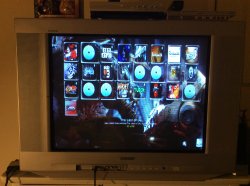
Delete wmtmp, run multiman:
IMG_0463.JPGIMG_0465.JPG

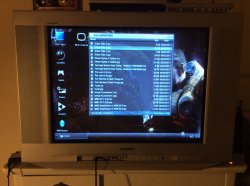
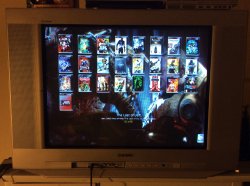
Delete wmtmp, refresh sman, run multiman:
IMG_0466.JPG

Excuse crappy iPad pics. CRTs are hard to get a pic of at the best of times.... let alone using this junk.
 
Last edited:
Nice work. This stuff must drive you nuts chasing down these quirky bugs.
I'll give it another crack myself tomorrow before I format my external back to fat32.

Did you work out why it took me 6-7 runs to get prepntfs to pick up all the jpg PS3 covers last time I tried?

I noticed when I tried multiman earlier after deleting wmtmp it misses a few icon0.png files even, so might be an old bug or something to do with the fact I have too many games?

Sman picks up every cover on the ntfs drive first go every time though... :/

Everything's pretty basically named, and all made using genps3iso 2.0

Delete wmtmp, run multiman:
View attachment 8567View attachment 8568

Delete wmtmp, refresh sman, run multiman:
View attachment 8569

Excuse crappy iPad pics. CRTs are hard to get a pic of at the best of times.... let alone using this junk.

The problem isn't my NTFS Drive, because it was working fine on 1.47.01, 1.47.00, 1.46.02, i'm using this Drive for around 2 years, never had any problem, so i think that the problem is wMM.
 
The problem isn't my NTFS Drive, because it was working fine on 1.47.01, 1.47.00, 1.46.02, i'm using this Drive for around 2 years, never had any problem, so i think that the problem is wMM.

Jonaaa try the new 1.47.02 build uploaded by aldostools (same link than before), it fixed this bug for me so it should fix it for you !

Edit : no okay I retract sorry, just realized I was under 1.46.xx, ntfs is indeed not scanned under the 1.47.02 build, my bad !

Edit 2 : I confirm it's wMM related as going back to 1.46 solves the problem and/or Irisman still picks up games on ntfs ;)
 
Last edited:
Jonaaa try the new 1.47.02 build uploaded by aldostools (same link than before), it fixed this bug for me so it should fix it for you !

Edit : no okay I retract sorry, just realized I was under 1.46.xx, ntfs is indeed not scanned under the 1.47.02 build, my bad !

Edit 2 : I confirm it's wMM related as going back to 1.46 solves the problem and/or Irisman still picks up games on ntfs ;)

Ok I will check NTFS again when I return from my work... IIRC it was working fine last night while after I fixed the bug that prevented to mount the games. Although honestly my focus was not to test NTFS.
 
It is still this small problem with mixed language on the XMB, despite the fact that the translation files is correct, and 4 level of info on the XMB is a good idea :) but the change option does anything, maybe this option can completely remove paths from xmb for orginal name games look like it would look professional?
 
It is still this small problem with mixed language on the XMB, despite the fact that the translation files is correct, and 4 level of info on the XMB is a good idea :) but the change option does anything, maybe this option can completely remove paths from xmb for orginal name games look like it would look professional?

It has been fixed, the only issue left is with NTFS Drives.
 
Tried out the webmanmod 1.47.03 (+2) full edition and associated prepntfs just then.

NTFS games aren't being added to the list for me either.
Even after unloading vsh, and then unloading vsh and slaunch plugins. (deleting wmtmp in between every run to try narrow things down)

Tried to jump start it so to speak with prepntfs / multiman etc. without luck.

I think prepntfs seems to be doing its job this time though as after running that although the games still wouldn't show in webmanmod all the sfo files are extracted onto the ntfs drive (no png files were extracted this time though), and all sfo / jpg cover files appear to be copied into wmtmp fine.

Running multiman after prepntfs shows all games / covers without issue.

Also I can't enable ftp/http remote access. After unchecking the disable box, then saving, it's automatically checked again.

Edit: Lite edition works fine with NTFS after running prepntfs.

Edit 2: After getting games running in webmanmod lite, then upgrading to webmanmod full edition (without touching wmtmp or prepntfs again) games will still refresh, mount and play fine from ntfs. So the issue must just be in the initial generation of the ntfs shortcut files? Also maybe a possible incompatibility with previously generated versions? (I assume most people wouldn't touch wmtmp when upgrading like I have been when testing different versions or switching between this and sman)

Hope that helps narrow it down a bit for you anyway. :)
 
Last edited:
Then it already works the ps3 iso on external disk in NTFS without having to split?

I'm not sure if I understand your question... I hope that the following info can clarify you:

-Recent builds of webMAN MOD (1.46.* and later) includes native support for NTFS.
-prepNTFS was included as an internal part of the plugin, so the external prepNTFS app is not longer required.

-To scan NTFS with webMAN you can do it scanning the XML or using /refresh.ps3?prepntfs

-prepNTFS 1.17 and the internal prepNTFS support single ISOs and split ISOs (*.iso.0-n)

-Games extracted to folders (JB format) are not supported.
-Games with split files (*.666##) copied to HDD are not supported either.

-prepNTFS 1.17 (and IRISMAN) can generate raw iso files (.ntfs[BDFILE]) for videos and pkg files stored on NTFS. The internal prepNTFS in webMAN does not support these files.
 
I'm not sure if I understand your question... I hope that the following info can clarify you:

-Recent builds of webMAN MOD (1.46.* and later) includes native support for NTFS.
-prepNTFS was included as an internal part of the plugin, so the external prepNTFS app is not longer required.

-To scan NTFS with webMAN you can do it scanning the XML or using /refresh.ps3?prepntfs

-prepNTFS 1.17 and the internal prepNTFS support single ISOs and split ISOs (*.iso.0-n)

-Games extracted to folders (JB format) are not supported.
-Games with split files (*.666##) copied to HDD are not supported either.

-prepNTFS 1.17 (and IRISMAN) can generate raw iso files (.ntfs[BDFILE]) for videos and pkg files stored on NTFS. The internal prepNTFS in webMAN does not support these files.
To see, there are people that I'm helping not read the external HDD in NTFS for more than refresh xml etc, still do not appear the games, that with webman mod 1.46.02, the games they use are in ISO format without doing Split, osso the iso as it is complete, the only ones that appear are in internal hdd, but external not, my question is, do the games already work in ISO from the PS3ISO folder in external?


By the way is there any way that webman mod does not change the title of the games in the xmb? Is that I put the tag with the iso in PS3ISO, but when I run any game at the end it ends up changing the case and leaves the game icon, and although it changes in the configuration that does not put multiman tag, etc, it does not matter what option Choose, I never leave the cover that I put and change it again at will
 
@aldostools
I tested the external split/JB games with multiman stealth 4.81.02 and it works without disabling webman via toolbox.
My question is: can I play safe online? Run them with multiman and disable syscall cfw (R2 + Δ) with webman.
When I launch its games in multiman for the first time I have that
9273171714253512760629824884291249637717o.jpg

As if the split files are back in a single file as before
 
There is no need to disable webman in order to run multiman.

If you want to be safe online you should delete history files, disable syscalls & remove all the Cobra hooks. The best way we know to do this is to use psnpatch however only iso games can be run without Cobra hooks. Some JB games will still run & others won't.

As for your split iso files, if I am not mistaken, I think they are copied to internal hdd to form a full iso.
 
Thanx @aldostools now look great, really gooood work.Can I do the translation string in xmb on the polish language that has not been translated? And would you be able to implement this in webman mod?
 
Last edited by a moderator:

Featured content

Trending content

Back
Top