PS3 [Research] Modifying the Gaia Visualization (custom_render_plugin/earth.qrc)

he STARS IN HDR seems to add a fog on some presets and cause complete whiteout reflections on other presets..more testing required. Its possible that once HDR is enabled we need to then tweak settings in the HDR.mnu... hard to know really.

Yeah there are some options in the HDR.mnu for " WHITE LEVEL " and " GLARE LEVEL "..
 
Something interesting.. we can remove almost everything from the earth.qrc and it still works... this leads me to believe that if we can add some of the missing stuff it might load, Well actually maybe not... as its not refereneced in the sprx... . Anyway it seems to be able to handle missing files no problem.

Here is a earth.qrc where i have deleted EVERY image including the image folders, So all jpgs and dds files removed. Then I also removed all 30 presets folders and also the "tz" presets including their folder. Then I also removed all the texcache bins and that folder. And I removed all the vpo/fpos that are not being loaded be the sprx. All the dump files and the ATM.mnu that was left over there. I also removed all the camera folders. Basically went from over 500 files down to approx 50 files.

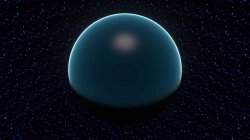
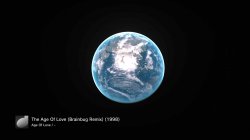
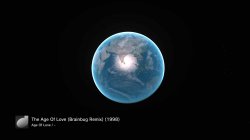
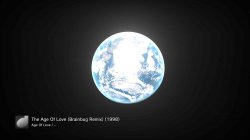
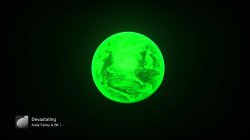
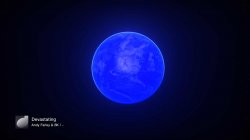
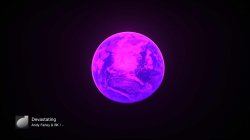
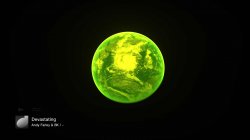
It looks like this, and the earth is flickering so depending when you take a screenshot it can be in one of two states:
lines7.jpg lines7.jpg


For people who dont use the music player, this is about as small a dummy earth.qrc as you will get at 28.1KB.

Off topic: Funny thing I have never noticed happen before. When I put it in a zip it actually got bigger at 28.2KB. :)

Then when I attached it here it says 28.3KB... anyway..its small. :D
 

Attachments

Last edited:
Some random notes related to areas in 2.00 FW that might be worth looking into more:
  • 2.00 earth.qrc has lots of bin files that are bigger than current in texcache
  • 2.00 earth.qrc has a bigger update elf than current and also a bigger eventjob
  • 2.00 gaia sprx is approx 200kb bigger than current
  • 2.00 qglbase sprx is a little bigger than current
  • There are 2 extra files in 2.00 earth.qrc called console.vpo and console.fpo
  • It looks like some stuff was zeroed out of the 2.00 gaia sprx in places.
  • 2.00 earth.qrc has that extra "space" folder full of fpos and vpos.
  • There are some extra settings in some of the 2.00 mnus files,
  • 2.00 qglbasesprx has no mention of devGUI.vpo/fpo like the latest version and those files are not included in the 2.00 QRC.
  • There are No jpgs in the 2.00 earth.qrc and Gaia is disabled until later FW
  • It looks like 2.00 qglbase sprx has more support left in for dev_hdd/game/ABCD1235/ (references to param.sfo fields)
upload_2020-2-22_2-29-30.png


I have attached the 2 sprx files from 2.00 and the earth.qrc plus the extracted 2.00 earth.qrc in case anyone wants to look at the files.
 

Attachments

If anyone else out there is trying MNU edits on earth.qrc and is finding it kind of tedious and realizes we will need to test thousands of mods to find out what every value is doing, This BAT should help.

With this BAT you can just edit the MNUs or path or txt files with a text editor, and then click the bat to build a QRC with those custom files included. The resulting QRC will only show one preset with your modified files. This makes it very quick to test mods compared to any other method I have found so far.

This allows you to build a custom earth.qrc with custom MNUs in seconds. Just put your MNUs, path files or ini or txt files next to the bat and click it. simple as that.

Note: You can increase the size of MNUs by up to 100bytes if you are adding new values. You can not increase the size of ini/txt/path files.


^^ this has sped up research by more than 1000% for me. no more scrolling through pages and pages of HEX looking for correct values.
 

Attachments

Last edited:
Learning so much with this new BAT..too much to write. Please have a go guys, I cant make it much easier.

For example, one value from CLOUDS_4M.mnu . The brightness setting, Small changes in the region of 0.1 make a nice difference. :)


BRIGHTNESS:float:0.305 (Default)
cloud_4m_brightness1.jpg

BRIGHTNESS:float:0.100
cloud_4m_brightness1.jpg

BRIGHTNESS:float:1.000
cloud_4m_brightness1.jpg

BRIGHTNESS:float:100.000
cloud_4m_brightness1.jpg
 
CLOUDS_4M.mnu
The LOD BIAS:float: is interesting too.

Increasing into the plus values makes it go like this:
cloud_4m_brightness1.jpg

But putting in minus values seems to add quality or some anti alaising or something, and due to this a nice shimmery effect. Hard to describe and see in a screenshot , try out values like 5.00 and -5.00 etc
cloud_4m_brightness1.jpg

SUN.mnu

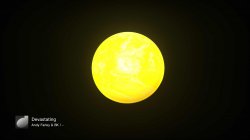
There seems to be just 4 values accepted for "SUN METHOD:int:" , they are 0,1,2,3.

2 is the best if you want to light up the entire side of sphere facing you.

0
sun_method0.jpg
1
sun_method1.jpg
2
sun_method2.jpg
3
sun_method3.jpg
 
Last edited:
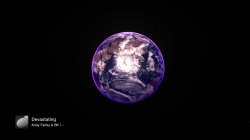
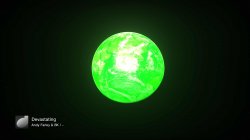
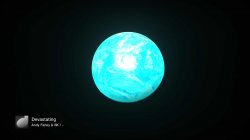
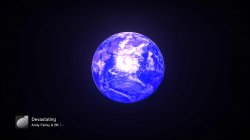
We can do so much from the mnus now, its great, this is just 2 values tweaked.

sun_color1.jpg sun_color2.jpg sun_color3.jpg sun_color4.jpg sun_color5.jpg sun_color6.jpg

:D

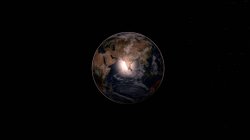
Found another value that lets me remove the atmosphere, now we are sucking diesel :D

nice.jpg


nice1.jpg nice2.jpg nice3.jpg nice4.jpg nice5.jpg nice6.jpg
nice7.jpg


No atmosphere, no clouds, and extra stars. :)

nice8.jpg
 
Last edited:
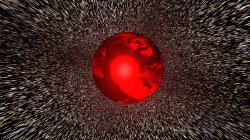
Psychedelic flowing stars effect, achieved by increasing the FOVY SPACE:float: in EARTH.mnu. Once you get above approx 120 it starts looking like this


FOVY SPACE:float:170.0

"Change it and see" :D


Its actually way better looking in "real life", My PVR is not able to handle that motion at all.

Here is a screenshot to show how much clearer it is here, looks even better again on my TV tbh.
nice9.jpg
 
Psychedelic flowing stars effect, achieved by increasing the FOVY SPACE:float: in EARTH.mnu. Once you get above approx 120 it starts looking like this


FOVY SPACE:float:170.0

"Change it and see" :D


Its actually way better looking in "real life", My PVR is not able to handle that motion at all.

Here is a screenshot to show how much clearer it is here, looks even better again on my TV tbh.
View attachment 24234

With the right tweaks that could make an awesome black hole effect visualisation. maybe a few other things but the basics would be NMU tweaks with the OG files, edit the camera presents to be at different close angles.....

EDIT: Or an object flying through Hyper Space.....
 
HDR.mnu

Turning GLARE_ONLY:int:0 to GLARE_ONLY:int:1 is cool, its literally just the glare. Handy for checking its effect.
nice10.jpg


Also we can toggle the glare here too with GLARE:int:1 to GLARE:int:0

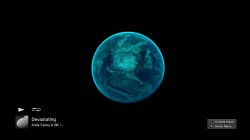
We can also set the glare level here with GLARE LEVEL:float:

Example: GLARE LEVEL:float:4.00
nice11.jpg
 
Last edited:
Here is an example of what is possible with just a few mnu and camera path edits and 1 DDS injected. I know its a bit random and crap, but it only took me 2 minutes to do this :)


Old rusty wire frame mode:

SimpleAutoExp.mnu
ENABLED:int:0

HDR.mnu
ENABLED:int:0

CUBEEARTH_4M.mnu
DRAW LINES:int:1

nice13.jpg
nice12.jpg
 
Last edited:
Fw random things I have learned so far about disabling stuff

Disable the clouds in CLOUDS_4M.mnu by setting this to 0, default setting on preset0 is 0.305:
Code:
BRIGHTNESS:float:0

Disable the atmosphere in ATM.mnu by setting this to 0 -default setting on preset0 is 13.8.
Code:
NS_RCP_FACTOR:float:0

You can also disable most of the atmosphere in ATM.mnu by setting this to 0, but it still has a small blue line
Code:
H0:float:0

Disable ALL textures in ATM.mnu by setting this to 0
Code:
IE ENABLED:int:0

Disable specular effect in HDR.mnu by setting this to 0:
Code:
GLARE:int:0
 
Last edited:
Something interesting. We can use the larger update1.elf from 2.00s earth.qrc on the latest earth.qrc and it works, there seems to be a difference in the look on some presets, but I cant put my finger on what that difference is exactly.

Also if we use the texcache folder and eventjob.bin from 2.00 they work, but just one of those on its own causes a freeze. So those 2 are tied together in some way.
 
@LuanTeles Increasing the STARS FACTOR:float: helps make the stars more prominent:


If you increase the STARS POWSCALE:float: it helps even more.


View attachment 24142


what values did you use?

i set them to 99 and no effect

bphqLWx.png


EDIT:

Seems like it has a lot of the same values , probably for the different presets

B4GQ4ew.png


Which value is okay? because i always go too extreme using 99 haha
 
Last edited:
I think you are applying it to the wrong file. Better if you use my bat for testing values as there are 32 versions of each MNU file. When you have figured out the exact values you want to use then you can apply them to any of the 32 files you want to via HEX editor.

Cant remember the exact values i used, but something like 2.000 or 5.000 etc, every value has different ranges. Some only go to 1.00, some allow minus values etc.
 
Last edited:
I think you are applying it to the wrong file. Better if you use my bat for testing values as there are 32 versions of each MNU file. When you have figured out the exact values you want to use then you can apply them to any of the 32 files you want to via HEX.#

Cant remember the exact values i used, but something like 2.000 or 5.000 etc, every value has different ranges. Some only go to 1.00, some allow minus values etc.


Which offsets are the stars dds?

i could't find it
 
search "DDS" and you will find the header. its the second one from the top. There are only 2.
 
Disabling the atmosphere makes the 3D effect better if you have a proper specular map. I also disabled the clouds layer in this mod.

test.jpg
 
Last edited:

Similar threads

Back
Top