PS3 sMAN v1.10n (by deank): New features & improved performance & stability

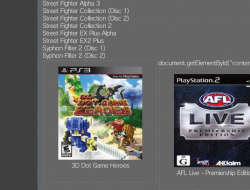
A couple of new updates aiding in the evolution of the sMAN plugin has been seen in recent days as developer @deank continues to add functionality and as you see in the screenshot additional eye-candy as well. Following up on v0.08n, deank officially labled v1.09 as a Beta Release as several new things were implemented and went through some testing phases. Deank has stated he has almost re-written sMAN so much that it now almost differs from webMAN v1.47n by nearly 50% according to the guy who know (the developer of both plugin) deank. Also thanks to freddy38510 NTFS drives will show the actual time & date stamps in both FTP & the file explore in web-browsers. v0.10n was recently released as well and officially moved from Beta to the next Stable update , that did just that improve the stability & performance of things like the www client . This plugin keeps improving and new features continue to impress as deank's continues to put his magically touches on this ps3 plugin.​


sman_setup.jpg

  • sMAN v0.10n
    In the latest sman.sprx update the internal web server will use threads to serve files/images content. It will no longer hold the whole www client thread and will release the resources immediatelly greatly improving performance and stability. Until now if you download something big via the web interface and then try to browse games or refresh sman would lock, but not anymore..

    There were some issues with displaying images/files from network locations (ps3netsrv) using the webbrowser but it is now ok. There are also some other minor fixes.

    Update to sMAN 1.10n: http://deanbg.com/sman.sprx | http://deanbg.com/sMAN_1.10.zip

    Network/ps3netsrv locations should now support about 3200 files (1600 ISO games + 1600 images for example).

    p.s. sprx is updated again. If someone with a lot of network games can test it - let me know. I tested it with a folder with 9000 files and it handles 3200 to 3300, so it works. :)

    http://www.psx-place.com/threads/sm...on-sfo-scanning-more.12984/page-10#post-75905


  • I updated sman.sprx - it now has a separate option for dev_blind. sman_res.exe is changed to support .htm resource files. The source is also updated. Web content is now in external .htm files in wmtmp/res folder. It is still work in progress, but at least you can see how it is progressing.

    The web-pages are still ugly, but now someone can help with improving them. The external files are:
    • www_head.htm - this is present in each generated page and can be edited by a web-designer
    • www_setup.htm - the setup page (only the form)
    • www_foot.htm - the footer
    • www_file.htm - some javascript needed for table sorting (doesn't work on the ps3 browser)

    The dynamic content is generated after www_head and before www_foot.

    I made some changes to the layout... should be something like this at the moment:


    It should look much better now. You have a very early build. It now doesn't use tables, but I rewrote everything with css. Not really gorgeous, but still simple and lite. Shows 99% the same on the PC and on the PS3 now. Also it fits perfectly even in SD resolution (720x576). :)


    Without Javascript the Setup page cannot be used (because js is used to set current options/values), but all other functions are ok.

    This option was never clickable. The checkbox was always disabled and its "ticked" state just indicates whether the lowest speed will be applied (which happens only in "auto" mode). I added back the "tick" when in auto-mode - it is purely cosmetic checkbox just to make the options look more ordered on screen. :)

    I updated sman.sprx. Also game listing in the web-browser on the PS3 now looks properly (game names are centered as they should be - same as on the PC).

    http://deanbg.com/sman.sprx (now up to 1.09n - resource files will be updated and you'll also get a new background for sMAN GUI).
    sMAN updated (http://deanbg.com/sman.sprx)

    I hope this 1.09n version is the last "beta"/"unstable" before the official 1.10. It seems very stable at the moment. I optimized a lot of functions and rewrote a lot of the code - probably over 50% is now completely different compared to webMAN 1.47n.

    In this update the optimizations lead to another memory usage decrease - you should now have 2324KB free memory.

    FTP browsing is faster - both for hdd/usb and ntfs drives, which means copying a lot of folders will be much faster compared to any wM/sM version.

    Along with all the other changes since 1.08 (external web content/additional xmb info tags/code optimizations) 1.09n should be the version to update to without worries.

    Dean

    Post Source: psx-place.com/

    -------------------------------------------------------------------------​
    Thanks to @freddy38510 the ntfs library now supports proper date/time stamps for files/folders. sMAN is updated to show actual date/times in FTP and web-browser for NTFS drives.
    http://www.psx-place.com/threads/li...ilation-with-cellsdk.11906/page-11#post-75770

    Thanks @freddy38510

    p.s. libntfs_prx.a is also updated in sman_1.09.zip

    Post Source: psx-place.com
    -------------------------------------------------------------------------​

Download:

Source: psx-place.com
 
Last edited:
Forget there hearsay of my last line.... I'm telling your there's an issue and I just clearly described the issue, and you're responding like a prick. The GUI works and the XMB doesn't. Do with that what you will, but I'm not going to be participating any further. Cheers.
 
I'm telling your there's an issue and I just clearly described the issue, and you're responding like a prick. The GUI works and the XMB doesn't.

You'll have to provide more information than that. If you want it fixed I'll have to be able to get the same problem so I can get it right.

So far it is my word against yours - I'm telling you that sMAN 1.11 and mmCM 4.81.02 on Habib CFW 4.81 (cobra 7.50) work fine together. I'm not using any other plugins or blockers or psn-blabla-spoofers, etc.

I've seen reports for webMAN MOD and similar problems with mmCM and I guessed that it is because mmCM clears the "path redirections" to the proxy plugin, but since then I tried numerous times and the redirection to sman.xmb plugin was never cleared by mmCM so it never crashed (on my system).

And calling me names in your second forum post is not in your favor.
 
Last edited:
Sorry but I cannot reproduce this issue either.
I tested mounting a game with mmCM 4.81.02 then mounting another with latest Sman, no freezes at all. I repeated the operation a dozen times with different games to be sure...
 
Last edited:
Hello, guys.

Can anyone tell me why ps3netsrv (2017-03-10 build) connected via Wifi (PC-PS3) use my upload connection (500KB aprox.) instead of my "Wifi Lan" upload? (54G, around 2,5MB?).

I tried to load The last of us on ISO (fat32) and i checked the bandwtich and upload to 500KB aprox. Am i wrong or is it fine?

P.S.: sorry the offtopic (?). Nice work Aldostools and Deank with sman/webman mod.:applouse:
 
Is nice to see this kind of things, you have achieved some milestones while developing sman @deank, and the last improvements with the network is a big one, i have to admit along the problems reported by @self_slaughter in the last days i thought it was going to be near imposible to fix it completlly... but now it seems you have a very solid network, good enought to become the next standard for the scene

And has been betatested by @self_slaughter under hard conditions, good work both (and special mention for the trinitron that proved to be the best betatestkit of the month)
 
Sorry, ended up falling asleep last night. (was a bit after 1am my time) :)

Well give it another good test shortly. I also thought it was a last cause personally, but in testing last night it was rock solid and amazingly responsive regardless of conditions.

Absolutely top shelf work. :)

Shame the old Trinitron is too heavy to move near enough the router to test the ps3 browser properly. Had to do most things blind. lol
 
Well, The PC appears to be completely dead. Can't even enter BIOS setup at the moment. So looks like I'm out of testing for a while. :/

Seemed to be working great remotely last night anyway. :)

Tried the latest standard version on the PS3 and the PS3 browser is still quite messed up at times. Best thing I can think of at the moment would at least be to not automatically show games when hitting "refresh" and just make it a silent operation like if you were to do it from within sman itself.

Can just avoid the games tab for now then, as its not really useful on the PS3 anyway.

Here's a screenshot I just took after trying a refresh after cleaning wmtmp and the browser cache...
 

Attachments

  • PS3 sMAN.png
    PS3 sMAN.png
    187 KB · Views: 445
Here's another showing the weird doubling up effect it occasionally seems to get at the end of the list after just loading the games tab.

Sometimes it's two games on top of each other, sometimes it's another copy of the sman menu in a game sized box.

PS3 just hates javascript for whatever reason. (I normally have to disable it to do much like uploading files here. I generally only enable it for sman)

Sorry for the double posts... Hard to edit and reupload another attachment on the PS3.
 

Attachments

  • PS3 sMAN_3.png
    PS3 sMAN_3.png
    258.1 KB · Views: 435
muahaha, it lives again! (swapped the ram slots around, see if it holds up - memtest tonight.)

Set up a dual boot, so I can mess around a bit without interfering with everyone else's stuff and just wipe and the partition and resize the old one when I leave. (Not my PC)

Did originally try to just use a virtual machine, but it couldn't capture the udp broadcasts from the PS3 through the NAT.

Happy days. :) Hooked the PC up via ethernet as well, so should be able to hit the network fairly hard for a good stress test.
I'll see if I can capture any output from the PS3 browsers shenanigans as well. :D
 

Attachments

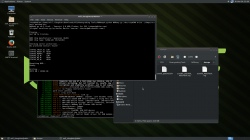
  • Screenshot at 2017-03-24 23-39-20.png
    Screenshot at 2017-03-24 23-39-20.png
    828.6 KB · Views: 387
Last edited:
@self_slaughter
If you have problems getting udp broadcast through the VM NAT, you may have to tweak the VM Network Settings.
Not sure what VM software you are using but you should be able to use your PC network adapter directly rather than the NAT default setting...

Ahh ok, cheers for the info. :)

I was just using virtual box, but I was having some other minor issues with it as well, so just went for the dual boot instead of fussing around too much. Only have 4gb RAM anyway, (possibly 2GB if it is a faulty memory stick causing the issues with this PC) so a dual boot works out pretty well and is just as easy to remove any traces of my existence when I move or get a PC of my own again.
Helluva lot faster this way anyway. :devil:
 
thank u @deank for this great app . my quistion is about fan control setting ? i see in the picture start at 75 and lowest at 22 is these setting ideal or what? and also about ps2 emulation means more resource on cpu means more heat so is 37 enough?
i had heat problems before and when i review these setting i found them not enough especially with ps2 emulation so i changed them all
am i the only one or ?? thank u
 
thank u @deank for this great app . my quistion is about fan control setting ? i see in the picture start at 75 and lowest at 22 is these setting ideal or what? and also about ps2 emulation means more resource on cpu means more heat so is 37 enough?
i had heat problems before and when i review these setting i found them not enough especially with ps2 emulation so i changed them all
am i the only one or ?? thank u
Not the only one
I have mine manual if using my headphones on TV at 99
Set to auto 68c for when not using headpones 45% min
and PS2 have it set to 55%
 
thank u @deank for this great app . my quistion is about fan control setting ? i see in the picture start at 75 and lowest at 22 is these setting ideal or what? and also about ps2 emulation means more resource on cpu means more heat so is 37 enough?
i had heat problems before and when i review these setting i found them not enough especially with ps2 emulation so i changed them all
am i the only one or ?? thank u
Taking into consideration that your CPU & RSX should both always be kept under 68-75% you need to find a balance between decent temps & decent fan speed/noise.

What you need to do is set your max temp at 72C & run a game like TLOU or similar high res game for 30mn then use your PC or smartphone/tablet to load http://<ps3-ip-address>/cpursx.ps3, you will get your temps & the current fan speed value which should be kept under 55% if possible to avoid too much racket.
If you find the noise made by the console bearable, you can lower your max temp setting to 70C & try again, the fan speed value will be higher...
Continue testing with lower max temp until you find the best compromise...

For example on my 250x, I use 68C max temp & after 30mn gaming with TLOU my CPU is at 68C, RSX at 62C & the fan speed is at 48% which is bearable.
Fan Speed above 55-60% is very noisy, too noisy imo.
 
Last edited:

Featured content

Trending content

Back
Top