
PS3 webMAN MOD v1.47.14 - New Script Commands /Disable PS3 Beeps /boot_plugins_nocobra.txt Support /....


Since the release of webMAN MOD v1.47.12 developer @aldostools has progressed the plugin with 2 additional updates, providing additional support and features for the plugin, New options to execute script commands at any time,. The developer note's that it now possible to execute multiple web commands using this new feature. Also support for /boot_plugins_nocobra.txt (on 4.84 Starbuged CFW). A variety of other inclusions have also been added to get the full low down on the updates on this plugin checkout the changelogs included below from developer @aldostools

T5Q3zMc-520x245.png

  • webMAN MOD 1.47.14
    • Added option to /setup.ps3 to disable the beeps on reboot/shutdown/disable syscalls/pkg install/play disc
    • Ftp server now writes to /dev_blind in safe mode
      • Rename the existing file before overwrite it, deletes the backup if the upload was successful and restore the original if the upload failed)
      • Upload to /dev_blind now sets permissions to 0644 instead of 0777
    • Added support for /boot_plugins_nocobra.txt (4.84.3 Starbuged)
    webMAN MOD 1.47.13
    • Added option to execute script commands at any time. Use /play.ps3/script-path (must be .txt or .bat)
    • Added new script commands (logfile, log, if/elseif/else/end, swap, lwait, beep, mute coldboot)
      • Now it's possible to execute multiple web commands directly from the script
      • /edit.ps3 now shows an EXEC link for .bat files
    • Improved mouse/touch/wheel support in /games.ps3
    • Added 2 seconds startup delay on cobra 8.x to allow network initialization
    • Signed wm_proxy for DECR (thanks @Joonie86)

  • webMAN-MOD.jpg
    Feature Overview
    .
    webMAN "vanilla features" (Original Project by deank, webMAN MOD also containes these features)
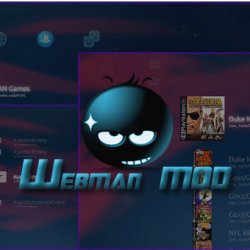
    • FTP server with remote control functions (shutdown/restart)
    • WWW server with remote control functions (scroll down for the complete list of shortcuts)
    • Support for loading and browsing of [local] PS3 games in ISO and folder format, DVD videos in ISO format, Blu-ray movies in ISO format, PS1/PS2/PSP games in ISO format with cover display
    • NETISO support for network loading and browsing of PS3 games in ISO and folder format, * DVD videos in ISO format, Blu-ray movies in ISO format, PS1 and PSP games
    • NTFS support for PS3 and PS1 games in ISO format, Blu-ray movies in ISO format and DVD Video in ISO format
    • Dynamic Fan Control and in-game temperature monitoring
    • PAD shortcuts
    • Keep USB device awake
    • Mount last game or AUTOBOOT.ISO to system startup
    • Support direct access to NTFS devices through web & ftp (1.45 / 1.45.11)
    • XMB integration XMB proxy (1.46 / 1.46.00)
    • Integrated prepNTFS

    webMAN MOD additional features (by Aldostools)
    • webMAN MOD contains all the feature of webMAN above then also
    • Easy installer/updater
    • VSH Menu integration (hold SELECT to show the menu)
    • sLaunch GUI integration (hold START or R2+L2 on XMB to show the GUI)
    • New folder icons (by Brunolee & Berion)
    • It can mount PS2 Classics games on PS2 Classic Launcher (.BIN.ENC)
    • It can auto-mount any custom folder or ISO. Official only can mount AUTOBOOT.ISO
    • Title ID can be displayed on XMB menu
    • Covers are shown using the Title ID on the file name of the ISO. Official needs to mount the game to show the covers.
    • It can rip a game from disc to hdd0 or copy from hdd0 to usb000 or from usb00x to hdd0.
    • FTP server includes new SITE commands to allow copy/paste files locally, unmount game, toggle external gamedata, turn on/off dev_blind, change file attributes
    • Integrated external gameDATA
    • Web Debugger (remote peek/poke/find bytes)
    • Support for automatic or manual removal of CFW syscalls and spoof console id (IDPS/PSID)
    • Translated to 23 languages
    • Extended support up to 5 remote network servers
    • Several shortcuts to toggle Cobra, swap Rebug files, mount net0/ or net1/, show IDPS/PSID, etc.
    • Support for user defined combos
    • Enable screen capture on CFW that don't has the feature.
    • Various improvements on File Manager (links to navigate faster, mount ISO, mount net0/ or net1/, preview images, copy/paste/delete files & folders)
    • MIN+ memory profile (same as MIN but uses 512K and 2.5X more buffer for PS3 games)
    • MAX+ memory profile (same as MAX 1280K for PS3 games, others buffer is reduced, eg: 2X less buffer for ftp and 4X for DVD etc...)
    • Copy operations use shadow copy on hdd0 for faster copy
    • Scan for games on the stealth folder "/video"
    • Support last_game.txt / autoboot on nonCobra edition
    • "Offline" mode (blocks some PSN/tracking servers). Game updates still work in this mode. (v1.33.03)
    • XMBM+ integration when grouping of XMB content is disabled (v1.33.03)
    • Extended Content Profile Grouping (v1.33.07)
    • PS3 Manager API Support (PS3MAPI)
    • Integrated Mysis video_rec plugin and get klicensee
    • Support for .ntfs[BDFILE] (fake ISO created by IRISMAN)
    • Support to mount NTFS games using raw_iso.sprx (rawseciso by Estwald)
    • Support for auto-fix games that require higher FW version (4.20 and later)
    • Optional Video subfolder to "Bluray™ and DVD" folder (Display RetroXMB videos, videos on USB devices and Data Disc icon)
    • "slider" webGUI (mobile friendly).
    • Extended system information (Title ID, APP Version, IDPS/PSID, CFW version, last played game)
    • Display of Play time & startup time to SELECT+START and /cpursx.ps3 (Use SELECT+START+R2 to display Game ID, Title, play time and more in-Game info)
    • Include a virtual pad feature, you can control your console via http://pad.aldostools.org on web browser or with webPAD software (windows only)
    • dev_bdvd/PS3_UPDATE now is redirected when the plugin is loaded (and when a game is mounted) [This is intended to prevent an accidental update if a game disc is inserted in the drive]
    • Added /play.ps3 to launch XMB Functions (e.g: /play.ps3?col=network&seg=seg_premo) this will start Remote Play server from XMB.
    • Once a game is mounted via html, if you click on the displayed icon the game will be launched on the PS3. This is nice to start the game once it's mounted from your mobile This option uses the new command /play.ps3
    • Support for auto-play any supported ISO, game folder or auto-open an URL link
    • Support for change BD/DVD region
    • NETISO server on PS3 (ISO only)
    • Support for local web chat
    • Support for edit small text files
    • Download files & install PKG remotely or with shortcut
    • "Auto CONFIG" support for PS2ISO
    • Support for "boot_init.txt" automation script
    • and various other additions not listed

Download @: github.com/aldostools
Source (news): psx-place.com


Last edited:
Aldo forgive me I updated my ps3 to fw rebug rex 4.84.2 and I also updated webman to the latest release. I am using my raspberry pi 2 with PS3NETSRV connected to the rapsberry an HDD 2TB 3.5 external power supply with all games in ISO format. The installation was successful and webman mod recognizes the folder containing the games. The games load in the xmb and start up too but immediately afterwards it starts giving me a black screen and sends me back to the installation screen for firmware recovery or to restart the play by pressing the ps button. I've already tested by connecting the HDD to the ps3 directly and it doesn't give me this problem so it's definitely not the HDD. Is the problem PS3NETSRV? I hope you can give me a solution to the problem. Thank you

AFAIK nothing has changed with PS3NETSRV.

Please verify that the port 38008 is open in your router, both the PS3 and the server have a static IP address and that you have enabled and listed the proper IP address of the ps3netsrv in /setup.ps3

Verify if you can navigate to /net0 through the file manager and use ethernet for network.
Wireless is more susceptible to have interference or intermittence.
 
AFAIK nothing has changed with PS3NETSRV.

Please verify that the port 38008 is open in your router, both the PS3 and the server have a static IP address and that you have enabled and listed the proper IP address of the ps3netsrv in /setup.ps3

Verify if you can navigate to /net0 through the file manager and use ethernet for network.
Wireless is more susceptible to have interference or intermittence.
Thanks for the answer, however I have already checked the port 38008 is open, both the ps3 and the server have a static ip address and I can browse in net0 and ps3 and the server are connected via ethernet
 
Thanks for the answer, however I have already checked the port 38008 is open, both the ps3 and the server have a static ip address and I can browse in net0 and ps3 and the server are connected via ethernet

You can try sman, webMAN vanilla and older versions of webMAN MOD to check if they behave different.
 
@aldostools wmm badly scales icon0 from every ps3 game, such a small bug, the icons seem stretched. I did not pay attention to it, but I have noticed it recently.

IMG-20190404-234416.jpg
 
Its not really a bug, PS3 XMB resizes every image to square, all icon0 are a rectangle. If you use covers its not so noticeable as they are closer to square..

You can make custom covers that have transparent square backgrounds, that fixes the problem. This is what PKG linker does with all the icon0s.
 
Its not really a bug, PS3 XMB resizes every image to square, all icon0 are a rectangle. If you use covers its not so noticeable as they are closer to square..

You can make custom covers that have transparent square backgrounds, that fixes the problem. This is what PKG linker does with all the icon0s.
I understand but when the mount game to icon0 is displayed in the place of virtual BR it displays correctly.
 
@aldostools wmm badly scales icon0 from every ps3 game, such a small bug, the icons seem stretched. I did not pay attention to it, but I have noticed it recently.

LOL "recently"? It's a known issue that exists since webman was created +5 years ago.

The stretched icon is due webMAN is using the same XML code used to show the icons of the apps under the Network column in XMB. These icons are squared, but ICON0 is a rectangle (9:5) almost 2 squares.

To reduce the deformation, it is recommended that you use the box covers that although they are not perfect squares, their aspect ratio is more closer to 1:1 than ICON0.
.
If you want perfect covers, you should make the icons squared and use transparent background to fill the unused area. This is valid only for covers in PNG format, due JPG does not support transparent background.
 
Last edited:
LOL "recently"? It's a known issue that exists since webman was created +5 years ago.

The stretched icon is due webMAN is using the same XML code used to show the icons of the apps under the Network column in XMB. These icons are squared, but ICON0 is a rectangle (9:5) almost 2 squares.

To reduce the deformation, it is recommended that you use the box covers that although they are not perfect squares, their aspect ratio is more closer to 1:1 than ICON0.
.
If you want perfect covers, you should make the icons squared and use transparent background to fill the unused area. This is valid only for covers in PNG format, due JPG does not support transparent background.
I know with your skills you could have the ps3 perform some resizing operations on all icon0's to fix them, have them be merged with 320x320 transparent background. ah go on! You know you want to! :-p
 
I know with your skills you could have the ps3 perform some resizing operations on all icon0's to fix them, have them be merged with 320x320 transparent background. ah go on! You know you want to! :-p

That would require to process each ICON0 to produce a new image with transparent background.
It's feasible in a standalone app, but webMAN is a process that is always running in background with a very low priority (-0x1d8) to not compete with other processes of games. Also the memory usage is very limited resource. IMO it would be a waste of time and resources to add extra code for that kind of task.

Anyway if some developer want to implement it, sLaunch already has some of the code needed to decode PNG and JPG using PPU. Only would need to implement the resize and encode part.
 
That would require to process each ICON0 to produce a new image with transparent background.
It's feasible in a standalone app, but webMAN is a process that is always running in background with a very low priority (-0x1d8) to not compete with other processes of games. Also the memory usage is very limited resource. IMO it would be a waste of time and resources to add extra code for that kind of task.

Anyway if some developer want to implement it, sLaunch already has some of the code needed to decode PNG and JPG using PPU. Only would need to implement the resize and encode part.
I understand the running all the time bit, but couldnt something intensive like that be done from an icon in webman settings, so its a one time , intensive task, it could even freeze the screen until it completes same like extended xai when its copying. then the whole ps3 can be dedicated to it, its not something that would be done very often.

Does adding an extra feature really impact the memory footprint all the time? even if that feature is only called upon rarely? If so there must be a better way, have extra features in external files, that only get loaded when needed or something. I dont how to code , but it seems wrong that every feature added has a downside.
 
I understand the running all the time bit, but couldnt something intensive like that be done from an icon in webman settings, so its a one time , intensive task, it could even freeze the screen until it completes same like extended xai when its copying. then the whole ps3 can be dedicated to it, its not something that would be done very often.

Does adding an extra feature really impact the memory footprint all the time? even if that feature is only called upon rarely? If so there must be a better way, have extra features in external files, that only get loaded when needed or something. I dont how to code , but it seems wrong that every feature added has a downside.

Every extra new function is time consuming for the developers, because they need to be coded then tested. When these functions are compiled, the new code increases the size of the existing ELF, which then is compressed into an encrypted sprx. In the PS3, the sprx is loaded into memory and decrypted when the plugin loads, then the decrypted ELF stays in memory until the plugin is unloaded. All the functions in the ELF are loaded even if they are never called, they are there in memory waiting to be called sometime.

These function are released from memory only when the plugin is unloaded. For instance, sLaunch and VSH Menu are loaded/unloaded dynamically. So they use memory only when they are called.
 
Every extra new function is time consuming for the developers, because they need to be coded then tested. When these functions are compiled, the new code increases the size of the existing ELF, which then is compressed into an encrypted sprx. In the PS3, the sprx is loaded into memory and decrypted when the plugin loads, then the decrypted ELF stays in memory until the plugin is unloaded. All the functions in the ELF are loaded even if they are never called, they are there in memory waiting to be called sometime.

These function are released from memory only when the plugin is unloaded. For instance, sLaunch and VSH Menu are loaded/unloaded dynamically. So they use memory only when they are called.
ok, i understand the time involved of course, i just didnt get the logic with RAM if we were limited like that. And now i understand that too. So really extra features can be added in theory without impacting RAM, by using external plugins.

Thanks I understand much more now. Anyway, I was only messing. My point was more "in theory" this 5 year+ problem is solvable, its just not worth it really.
 
ok, i understand the time involved of course, i just didnt get the logic with RAM if we were limited like that. And now i understand that too. So really extra features can be added in theory without impacting RAM, by using external plugins.

Thanks I understand much more now. Anyway, I was only messing. My point was more "in theory" this 5 year+ problem is solvable, its just not worth it really.

It's not as simple as using external plugins will use less RAM. There are other factors to take in consideration like the memory used by the processes themselves and their variables, if the process stay running all the time or if it's called once or rarely. The amount of common functions and variables shared between the processes is very important. A external plugin has some overhead too, but in general if it's a complex process with low "coupling" and not needed all the time, it's a good candidate for an external plugin.
 
Last edited:
It's not as simple as using external plugins will use less RAM. There are other factors to take in consideration like the memory used by the processes themselves and their variables, if the process stay running all the time or if it's called once or rarely. The amount of common functions and variables shared between the processes is very important. A external plugin has some overhead too, but in general if it's a complex process with low "coupling" and not needed all the time, it's a good candidate for an external plugin.
So, just for discussion sake. If you dont mind. :)

In theory, couldnt someone reduce the memory footprint alot, by moving alot of tasks used less often to an external plugin that only gets called when required then unloaded. For example (im not saying you should do this, just hypothetically) if all scanning and xml generation, icon and param.sfo work, was done by external plugin. possibly called upon manually by pressing button and ran in "intensive mode", not low priority, wouldnt that leave less stuff in RAM all the time.
 
The message "webMAN not ready!" is shown when the XMB proxy (wm_proxy.sprx) cannot connect to webMAN's http server using the loopback ip address 127.0.0.1, port 80.

This could happen if the proxy does not receive a response from webMAN within 3 seconds (e.g. the plugin is not loaded or too busy) or if the proxy cannot create the socket for the network connection (e.g. network is not configured, inactive or broken).
Ok, what can I do to diagnose the problem?
 
So, just for discussion sake. If you dont mind. :)

In theory, couldnt someone reduce the memory footprint alot, by moving alot of tasks used less often to an external plugin that only gets called when required then unloaded. For example (im not saying you should do this, just hypothetically) if all scanning and xml generation, icon and param.sfo work, was done by external plugin. possibly called upon manually by pressing button and ran in "intensive mode", not low priority, wouldnt that leave less stuff in RAM all the time.

Indeed the mount and scan for content are done in high priority (2000) in their own thread.
https://github.com/aldostools/webMAN-MOD/blob/master/include/games_xml.h#L44
https://github.com/aldostools/webMAN-MOD/blob/master/include/_mount.h#L2415

Theoretically, yes, moving these tasks to external plugins could reduce the memory footprint of the main plugin in some kilobytes. But these tasks use also share functions and global variables that are common to other tasks. e.g. games_xml.h and games_html.h share a lot of functions that would be needed to be duplicated in the external plugin, also the functions for read the settings. The complexity increased too, because 2 projects should be maintained.

Additionally, split the project into multiple plugins require time of analysis and software re-engineering some functions, isolating the objects and adapting the interfaces for proper interrelation.

Indeed, initially ftp_server and webman (http server) were 2 standalone plugins. deank merged them because both would be loaded permanently and the overhead of having 2 standalone plugins would be greater than having the functions of both projects in a single plugin. And they would be using 2 slots, instead of only 1... Later webman was growing until the current state.
 
@aldostools, i'am have problem to install webman mod v.1.47.15 commit c9ded1f1b3180c39ec20ffe313994e8d32bd04fb.
The ps3 hangs when I launch the webman mod installer from XMB.
THe version webman mod 1.47.14 working correct.
Thanks so much
 
@aldostools, i'am have problem to install webman mod v.1.47.15 commit c9ded1f1b3180c39ec20ffe313994e8d32bd04fb.
The ps3 hangs when I launch the webman mod installer from XMB.
THe version webman mod 1.47.14 working correct.
Thanks so much
Thank you for your feedback. I found the issue in this change:
- Updater now copies the PS2CONFIG files to /dev_hdd0/games

I've reverted that code and updated the PKG files in:
https://github.com/aldostools/webMAN-MOD/releases/tag/1.47.15
 
Back
Top


