PS3 [Research] Modifying the Gaia Visualization (custom_render_plugin/earth.qrc)

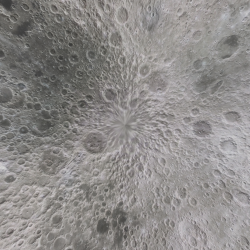
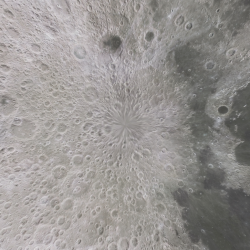
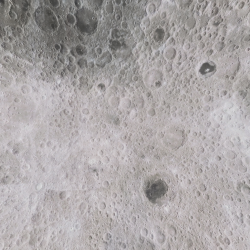
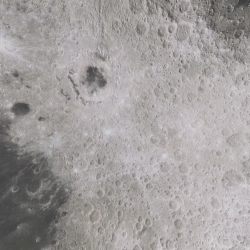
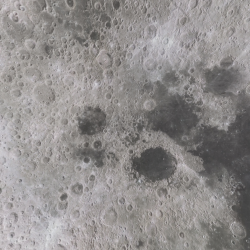
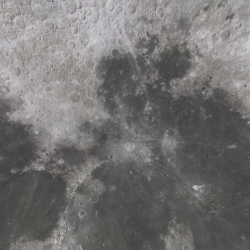
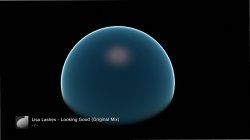
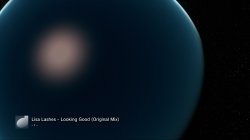
Nice, thats a milestone, a complete texture map perfectly wrapped to the sphere :encouragement:
3-jpg.22859
Yeah, it is cool. And we can do all the other planets now... will just take a lot of time if we cant get some automation. :)


BTW, I had an idea, what about a plugin like webMAN swapping the earth.qrc or remapping it everytime you enter the music player, so you dont know which planet you will see next? :) There is no reboot needed when swapping this file.

Even better but maybe not possible, imagine swapping the textures in real time in RAM...possible? So instead of just gaia, you go on a journey through the galaxy...

I think it might be possible to just patch the textures in RAM... why not.. :)
 
Last edited:
There is actually a bit of a glitch in that texture, its common on sphere textures... Just at the top its a bit blurred/distorted where it joins...that a shame. We wont get much better though unless we can find a better skin somewhere, not sure if there is one though.

9.jpg

Its not as big as it looks, rarely see it. Still annoying though. :)
 
Some automation... i was taking a look at it
I made 3 .bat files to automate the actions with jpegtran.exe, are very simplistic but hey... they works :rolleyes:
They does a for loop to find the files with .jpg file extension of the folder, and for everyone of them it sends some commands to jpegtran.exe
The resulting .jpg files uses different names (so nothing is overwritten)
Copy the texts below and save them in your PC with file extension .bat
Then copy jpegtran.exe, and this .bat files to the folder with the .jpg files... then double click in the .bat files :frog:

jpegtran Rotate 180 JPG.bat
Code:
for %%p in ("*.jpg") do (
	jpegtran.exe -rotate 180 "%%~np.jpg" "%%~np.rot.jpg"
)

jpegtran Crop 1024x1024 JPG.bat
Code:
for %%p in ("*.jpg") do (
	jpegtran.exe -crop 512x512+0+0 "%%~np.jpg" "%%~np.NW.jpg"
	jpegtran.exe -crop 512x512+512+0 "%%~np.jpg" "%%~np.NE.jpg"
	jpegtran.exe -crop 512x512+0+512 "%%~np.jpg" "%%~np.SW.jpg"
	jpegtran.exe -crop 512x512+512+512 "%%~np.jpg" "%%~np.SE.jpg"
)

jpegtran Optimize JPG.bat
Code:
md ".\optimized"
for %%p in ("*.jpg") do (
	jpegtran.exe -optimize "%%~np.jpg" ".\optimized\%%~np.opti.jpg"
)
 
Last edited:
That is great thanks.

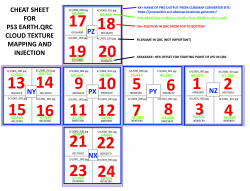
Ideally we can go from the output of the cubemap generator to 24 pieces in correct order without too many manual steps..its too easy to mess it up if you have 500 small manual steps....

Also these are high bitrate PNGs not jpegs. See what you think.. No rotating is needed for any of these planets really.

The problem too is it outputs in weird order, different to the order in the qrc, and different to other maps.


This is the output, see the file names.

pz.png nx.png ny.png nz.png px.png py.png

upload_2020-1-21_4-29-39-png.22850
 
The first version of the .bat files in post #123 had a problem with some filenames
https://www.psx-place.com/threads/r...der_plugin-earth-qrc.27756/page-7#post-223837

Please "download" them again, i fixed them and now seems to work fine :)

I just imagined a way to identify .JPG files and to rename .BIN to .JPG file extension with a .bat
Read the first 0xA bytes of the file, at offset 0x6 lenght 0x4
If = JFIF {
rename file extension to .JPG
}
 
Last edited:
I just imagined a way to identify .JPG files and to rename .BIN to .JPG file extension with a .bat
Read the first 0xA bytes of the file, at offset 0x6 lenght 0x4
If = JFIF {
rename file extension to .JPG
}
Nice, that same method would work for the DDS and mnus too, all file types could probably be identified by scanning for something.
 
The first version of the .bat files in post #123 had a problem with some filenames
https://www.psx-place.com/threads/r...der_plugin-earth-qrc.27756/page-7#post-223837

Please "download" them again, i fixed them and now seems to work fine :)

I just imagined a way to identify .JPG files and to rename .BIN to .JPG file extension with a .bat
Read the first 0xA bytes of the file, at offset 0x6 lenght 0x4
If = JFIF {
rename file extension to .JPG
}
You probably already figured this out, but I just realized what the jpg naming means.

upload_2020-1-21_7-50-24.png
 
This is another handy command line tool named Swiss File Knife http://stahlworks.com/dev/swiss-file-knife.html
Download ---> http://stahlworks.com/dev/sfk/sfk.exe

Copy sfk.exe in the same folder than the files copy this text below and save it as a .bat next to sfk.exe ... then double click the bat :frog:


sfk Rename BIN to JPG,MNU,DDS,PATH.bat
Code:
for %%p in ("*.bin") do (
	sfk.exe xfindbin "%%~np.bin" -text "/\x4A\x46\x49\x46/" || ren ".\%%~np.bin" "%%~np.jpg"
	sfk.exe xfindbin "%%~np.bin" -text "/\x23\x4D\x4E\x55\x5F\x31\x2E\x30/" || ren ".\%%~np.bin" "%%~np.mnu"
	sfk.exe xfindbin "%%~np.bin" -text "/\x44\x44\x53\x20\x7C\x00\x00\x00/" || ren ".\%%~np.bin" "%%~np.dds"
	sfk.exe xfindbin "%%~np.bin" -text "/\x74\x69\x6D\x65\x3D\x30\x20\x65\x79\x65\x20/" || ren ".\%%~np.bin" "%%~np.path"
)
 
If you can make your template have the images touching.


Then we can use the Cube2Sphere software from that site to convert the ps3 image back into a normal map, we could see exactly where they got the cloud image too.

If you put the cubemap next to the exe and then run it you get the cubemap back unfolded.

Cube2Sphere.jpg
 

Attachments

Another problem is , We need to try break the blue water effect really, and the atmosphere effect. I will start looking at the DDS and the mnus soon.

In this mod I replaced all cloud textures with the 1kb black image you made, the effect is far from black.


This has all 72 images replaced with with black...

black_earth4.jpg

black_earth5.jpg

black_earth.jpg black_earth2.jpg black_earth3.jpg
 
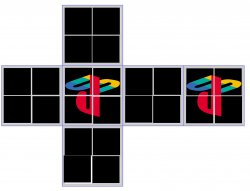
Here is my modding template. It has all 1KB black images injected into all 72 slots. This means the reflections and ground textures do not partially show like early mods.

I have added a tag under each 1KB JPG like this. This makes it much easier to keep track of which image goes where.

upload_2020-1-21_14-25-4.png


Check it out @xf505 @sandungas @pink1

That QRC along with this image should make it easier. Its already decompressed, It is ready to open with HEX editor.

upload_2020-1-21_14-27-50.png


THIS QRC NEEDS COMPRESSING WITH ZLIB AND THE HEADER ADDING BACK BEFORE USING! IT IS JUST EASIER TO USE THIS AS A BASE FOR INJECTING NEW IMAGES.
 

Attachments

Last edited:
Instead of using hex editor, try binsert writen ago by ffgriever (so You can make batch file) or PowerShell script (but this will not work before Windows 10)
That sounds good. Thanks for suggestion.

Have you any interest in making something? :) Be cool to see what you could do with something like this.
 
Without rebuilding QRC is not satisfying (because JPGs in such size restriction are little crappy). But I love the idea of Solar system, yet still we don't control the atmosphere glow, didn't we? Also I don't understand how can I create properly seamless texture and properly displayed on a ball (I saw the templates but images in cubes must be somehow warped to internal side of it, aren't they?).
 
We had talked yesterday about making something that would just splitting the images and replace them in the qrc. After looking at everything I think we could do something better or at lest add zlib to it.

On the qrc can we not edit the file sizes in the file table or does that cause problems?
 
Without rebuilding QRC is not satisfying (because JPGs in such size restriction are little crappy). But I love the idea of Solar system, yet still we don't control the atmosphere glow, didn't we? Also I don't understand how can I create properly seamless texture and properly displayed on a ball (I saw the templates but images in cubes must be somehow warped to internal side of it, aren't they?).
The images I am using are made for a ball. I do not know how to make one from scratch. OR I am cheating like with the smiley and PS ball by having an image in the middle of 1 cube face so it looks ok. The distortion is a lot worse around the edge of the cubeface.

And It would be great if we could use higher quality jpgs. The resolution is an issue too at only 1024x1024 per side. I might try some more tests with higher res images. I wonder if we changed the path to ".png" would it it load pngs... I would not be surprised if there is support in the sprx for pngs.

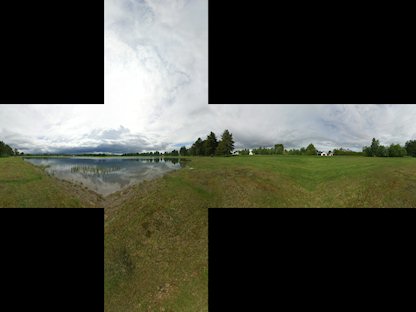
Yeah the images are warped, This site can convert flat maps... I dont know about other textures. https://jonaszeitler.se/cubemap-toastmap-generator/ Try it out. I want to try some of those 360 views, so they will be like a bubble :)

Cubemap_Sorsele_humus.jpg


Maybe look like this :

The-cubemap-cross-and-spherical-projection-generated-from-the-final-panorama-a-b.jpg


Also face textures might be funny too, like a head inflated in a ball. I converted this one I found on google but I have not injected it yet. I expect it to look like a face inflated into a balloon.

upload_2020-1-21_22-47-21.png


Here is what it looks like converted to cubemap.

upload_2020-1-21_22-44-26.png


But I love the idea of Solar system, yet still we don't control the atmosphere glow, didn't we?
I have not even looked at that yet. But I expect we can control it, either by editing MNU text files in the QRC, or by swapping/removing shader vpo/fpos. or by sprx patches... not sure yet..

But if we can have wireframe, I think we can break the glow.

We had talked yesterday about making something that would just splitting the images and replace them in the qrc. After looking at everything I think we could do something better or at lest add zlib to it.
That would be amazing.

Ideally it would be able to take 6 separate images (output from cubemap converter site), and cubemaps in "cross" form like the ones above.

On the qrc can we not edit the file sizes in the file table or does that cause problems?
It would be great if we could..I have no idea how to go about that though.

 
Last edited:
That would be amazing.

Ideally it would be able to take 6 separate images (output from cubemap converter site), and cubemaps in "cross" form like the ones above.
I found the source for the cubemap-toastmap-generator so if we wanted we could even add it too.

It would be great if we could..I have no idea how to go about that though.
It looks like a pretty simple table. From what I can tell it has the address/sizes then the file names and the the file contents.
So to edit it I think we would just need to edit the address/sizes for the item we change and everything after.
I've not tested any of this I'm just going off of what I see in HxD.
 
I found the source for the cubemap-toastmap-generator so if we wanted we could even add it too.


It looks like a pretty simple table. From what I can tell it has the address/sizes then the file names and the the file contents.
So to edit it I think we would just need to edit the address/sizes for the item we change and everything after.
I've not tested any of this I'm just going off of what I see in HxD.
Wow, adding the cubemap generator too would be great.


It would also be great if we could add more space. Like an extra 100KB per image for all 48 (ground and clouds) and extra 50KB for all Specular.. We can do a remap OR sprx patch and run any size earth.qrc from hdd if we need to. So space is not an issue really.

Also adding more space for MNU files would be nice, so we can copy and paste freely between them, and add new settings.
 
Last edited:

Similar threads

Back
Top