
You are using an out of date browser. It may not display this or other websites correctly.
You should upgrade or use an alternative browser.
You should upgrade or use an alternative browser.
PS3 [Research] Modifying the Gaia Visualization (custom_render_plugin/earth.qrc)
- Thread starter DeViL303
- Start date

Yeah, it should have an option for that, but normally if you are injecting your own image you do not want the earth maps to show.
my interrest here is only adding a galaxy on it, but i'm having the same problem, the dim sky and no earth images =P
i tried all presets, so the problem is injecting only the stars.
At least it having the full earth files on it, we can only replace the one we want

It's one we're working on called XForge. We've added a lot since that post so once it's done it should make this process quite a bit easier.
Which app is that?
It's one we're working on called XForge. We've added a lot since that post so once it's done it should make this process quite a bit easier.
Nice, i'll wait for it then
because i don't feel like to hex extract every image :P

Here is one I made quickly so you can test it, I have replaced the stars image with this:my interrest here is only adding a galaxy on it, but i'm having the same problem, the dim sky and no earth images =P
i tried all presets, so the problem is injecting only the stars.
At least it having the full earth files on it, we can only replace the one we want
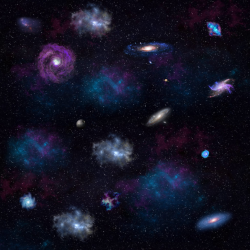
If you want to use a different image you can just paste it in with a hex editor.
Attachments
Here is one I made quickly so you can test it, I have replaced the stars image with this:
View attachment 24113
If you want to use a different image you can just paste it in with a hex editor.
View attachment 24115
Thanks, i think i'll edit the original starts just adding the galaxies, since the background is beeing ignored in all presets, just the galaxies (lighter points).
maybe we can find out how to make it show

Cypher_CG89
Senior Member
maybe we can find out how to make it show
Look for something in the MNU's that's controlling the MIPMAP levels, there's some setting for it somewhere irrc.
> the lower the MIPMAP level the less detail the texture will show depending on what's been mapped in the DDS file. The higher the level the more is shown but may impact performance, IIRC it's set to 1 in the MNU files, 4 should normally be the max level.
This is where I would start messing about to get it to show more detail anyways.


sandungas
Developer
Have you tryed to connect an USB keyboard and press the "TAB" key ? (this is enabled in official settings though)
earth/ATM.mnu > TAB ENABLED:int:1
Other interesting stuff
earth/INTERACT.mnu > DRAW WIDGETS:int:0
earth/INTERACT.mnu > USE TILT:int:0
earth/INTERACT.mnu > ORBIT:int:0
earth/ATM.mnu > TAB ENABLED:int:1
Other interesting stuff
earth/INTERACT.mnu > DRAW WIDGETS:int:0
earth/INTERACT.mnu > USE TILT:int:0
earth/INTERACT.mnu > ORBIT:int:0
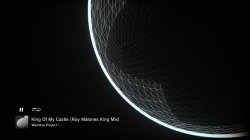
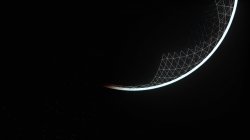
 Its like the wireframe mode i found with sprx patches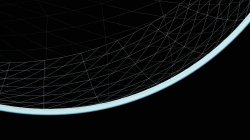
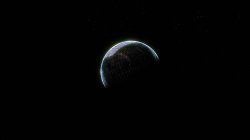
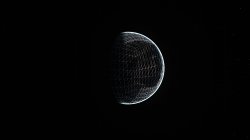


sandungas
Developer
I realized in your first screenshot it can be seen where it ends the cubeface at right. Is hard to see, but is somehing like that 

A detail that was unexpected to me is there are no polygon edges matching with the north and south borders ofthe some equator cubefaces
Also it looks like the polygons of the top and bottom cubefaces uses a different pattern than the cubefaces of the equators
A detail that was unexpected to me is there are no polygon edges matching with the north and south borders of
Also it looks like the polygons of the top and bottom cubefaces uses a different pattern than the cubefaces of the equators
Last edited:


@LuanTeles Increasing the STARS FACTOR:float: helps make the stars more prominent:

If you increase the STARS POWSCALE:float: it helps even more.


If you increase the STARS POWSCALE:float: it helps even more.
Last edited:
Cypher_CG89
Senior Member
@LuanTeles Increasing the STARS FACTOR:float: helps make the stars more prominent:
View attachment 24139
If you increase the STARS POWSCALE:float: it helps even more.
View attachment 24140
View attachment 24141
View attachment 24142
Nice find, have you tried playing with " STARS IN HDR " or " STARS SCALE "...?
Yes, I could not see any changes with the STARS SCALE but I only tried some low values like 10.00 etc, more testing needed.Nice find, have you tried playing with " STARS IN HDR " or " STARS SCALE "...?
The STARS IN HDR seems to add a fog on some presets and cause complete whiteout reflections on other presets..more testing required. Its possible that once HDR is enabled we need to then tweak settings in the HDR.mnu... hard to know really.
Similar threads
-
 PS3 [Research] Modifying the Coldboot/Gameboot Sequence (custom_render_plugin.sprx/rco)
- Started by DeViL303
- Replies: 729
-

-
 PS3 webMAN MOD 1.47.34 - New XMB / Startup enhancements from Aldostools in this update.
- Started by STLcardsWS
- Replies: 87
-
